POKÉMON
Summary
With the Pokémon franchise being a large part of my childhood, I set out to recreate 2 of the major systems found in those games; Turn-Based Combat & Dialogue.
Through this project I wanted to deepen my understanding of the blueprints & widget systems within unreal and create a modular & scalable framework that could be expanded upon in the future.
This Project was originally created during our “Scripted Level” Course.
Specification
- Developed over 5 weeks half time (During Course)
- Unreal Engine 5.5
- Asset Details
- Environment Models & Textures are made using Aseprite & Unreal Modelling Tools
- Pokémon & NPC Sprites are from the original games
Goals
- Learn more about creating modular & scalable systems
- Make systems manageable & readable for designers
- Learn how to utilize Unreal Engine’s ‘Widget‘ system
Turn Based Battle System
A “BattleManager” blueprint is used to handle the combat, starting the battle scene and pinning your monster against a randomised one. The Turn Based Battle System then kicks in, with an AI Controller possessing the enemy monster. The “BattleManager” acts a mediator between the two monsters in battle, with the aim of creating systems with loosely coupled code.
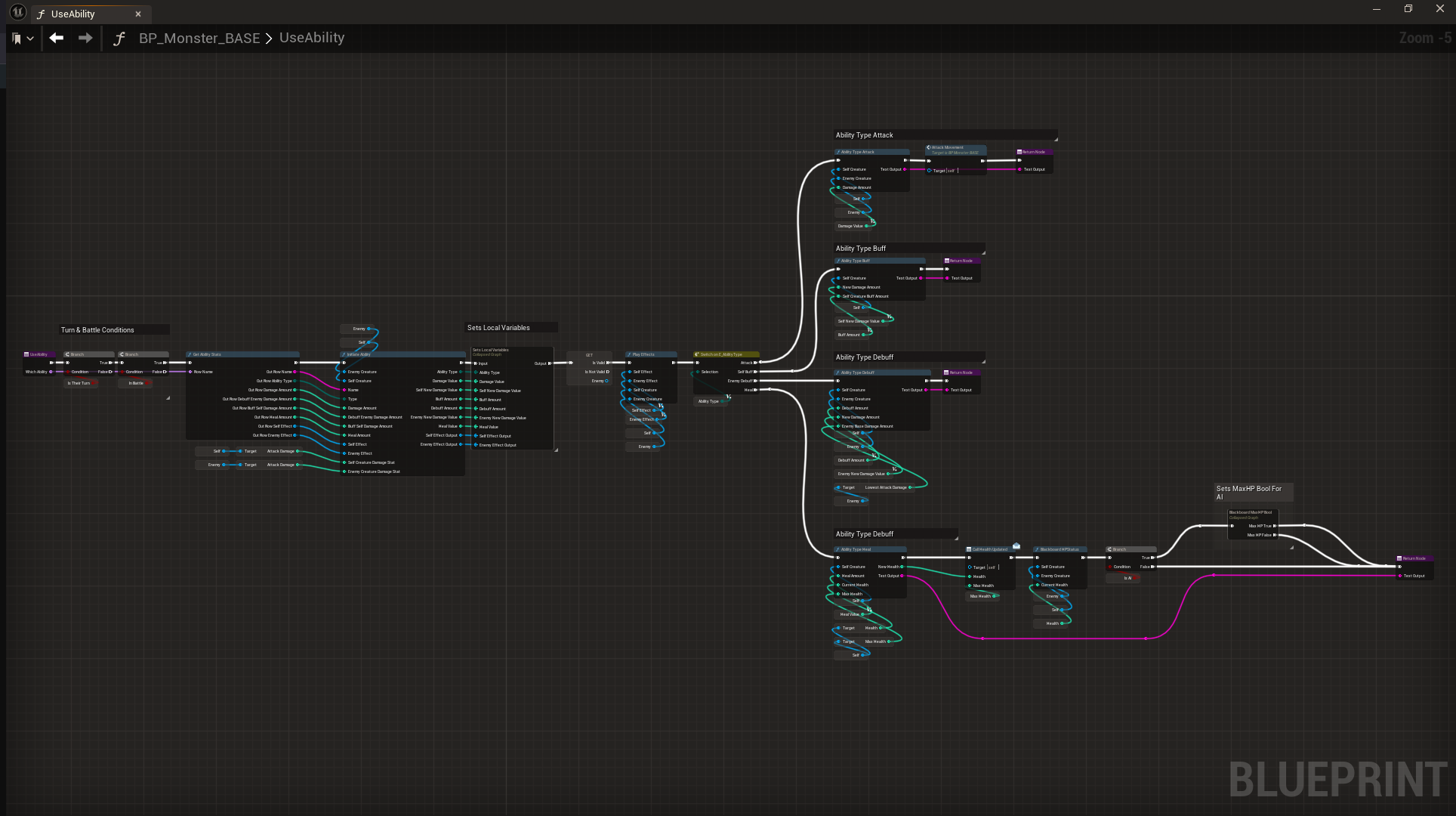
Initiating Abilities In Battle
Abilities can be of 4 types, all handling & applying stats in battle differently.
Abilities take into account a monster’s current stat values, instead of their base values. This is to make sure the abilities are always affecting the current state of the battle.
AI Logic
Using Behaviour Trees I’m able to create an AI that uses certain abilities based on the state of the battle. After waiting for its turn, the AI chooses or excludes certain abilities depending on the HP values of both monsters.
A Blackboard is used to monitor HP values, checking and flagging certain conditions, such as when a monster’s health is low, so that the AI behaviour can update and act accordingly.
Scalable Systems
More Data, More Problems?
Creating new Monsters & Abilities using Data Tables
To solve the problem of creating a system that can store a large amount of data in a manageable & scalable way, I opted to using data tables & enumerators.
This system is used to handle the monster, ability & dialogue data within the game.
1 Parent, 100 Children
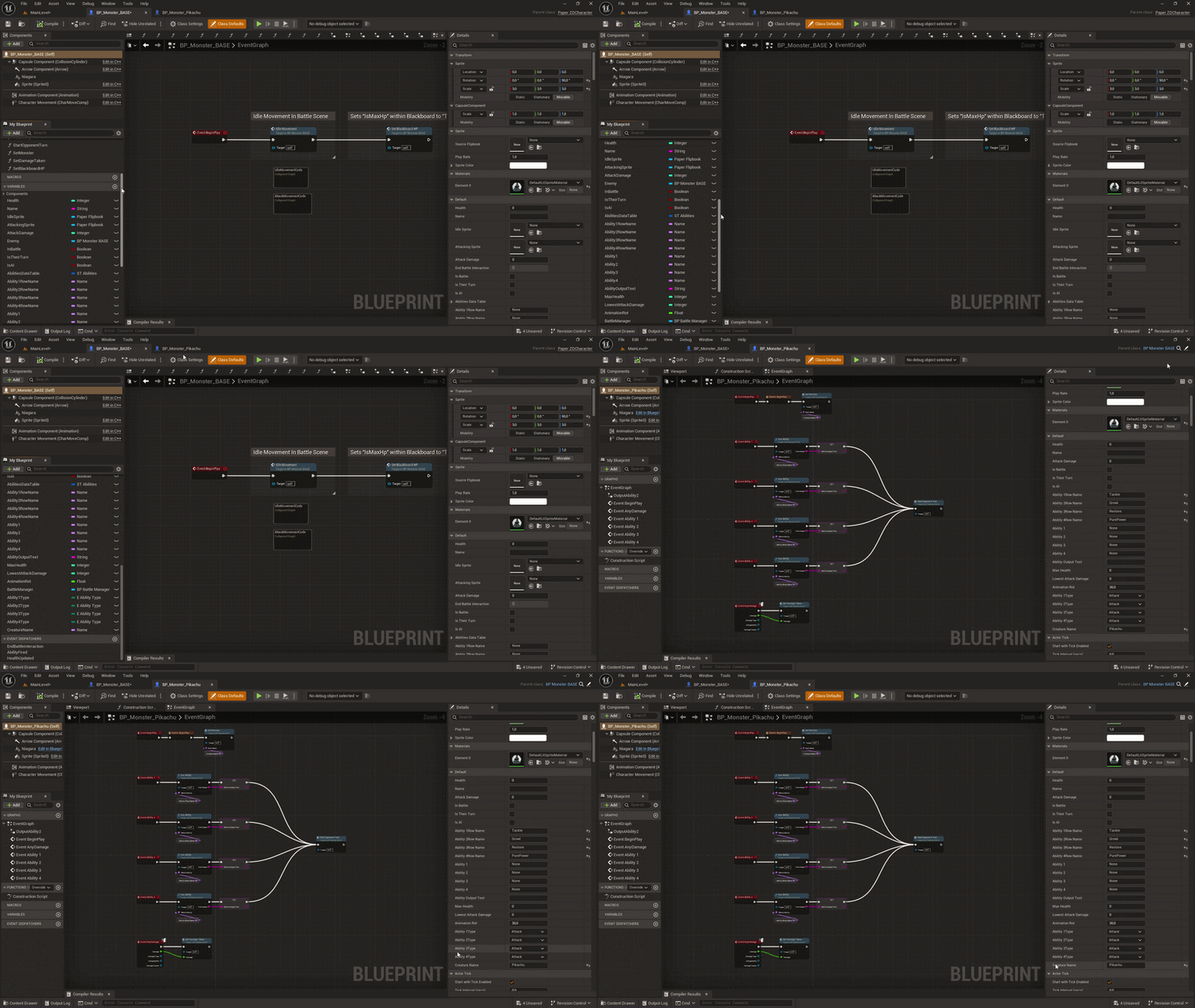
By utilizing Inheritance we can manage all monster logic within a single parent that passes down all necessities to each individual monster child. Only neccessary variables are exposed, while others are private.
This solves the problem of repeating code and allows for managable and large-scale changes to be made within a single blueprint, saving time.
Dynamic Widgets
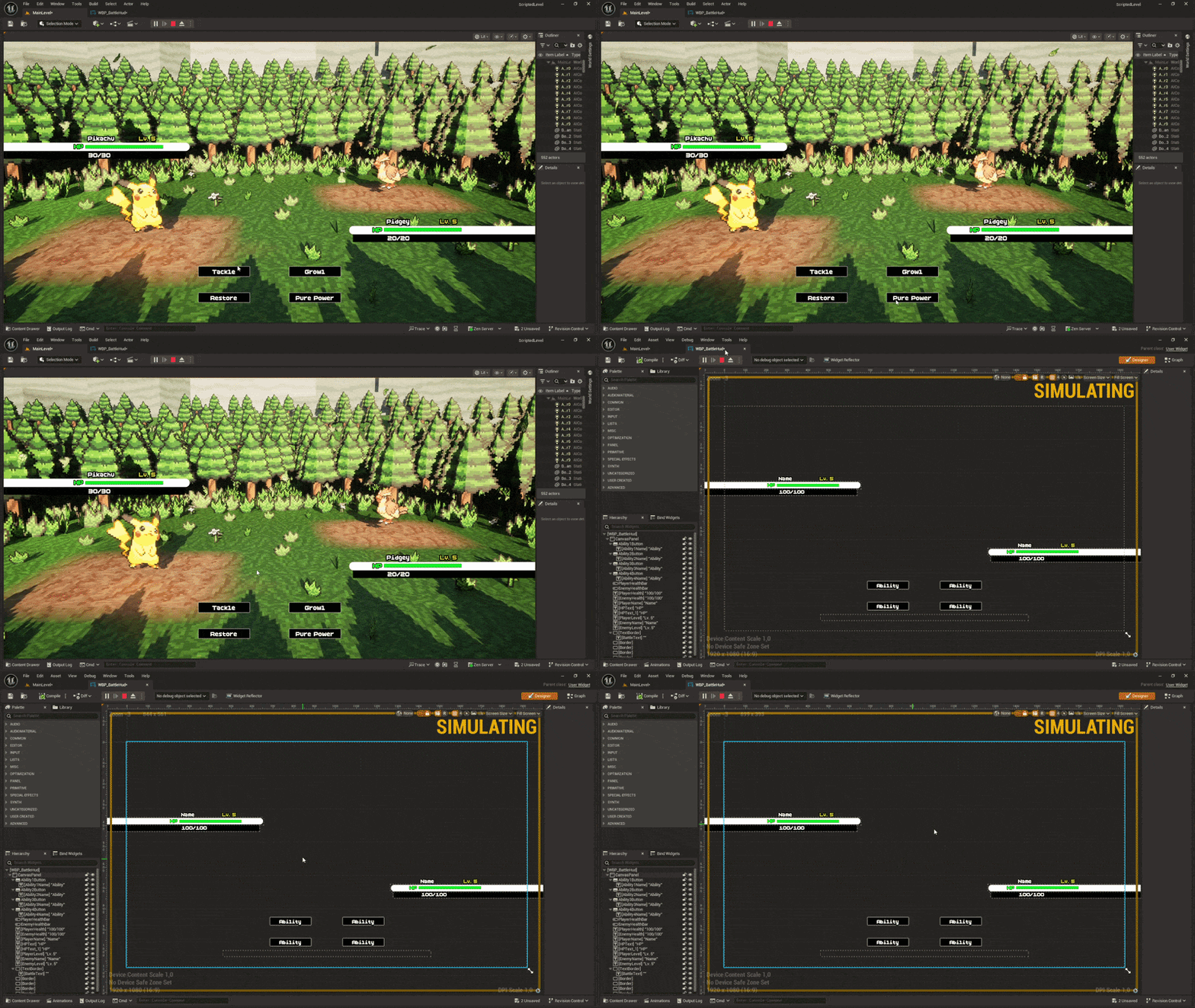
I created a battle UI that uses information from the monsters spawned inside of the battle scene.
This means that even if you were to add new abilities, monsters, or change stat values, the widget will reflect those and update accordingly.
Dialogue System
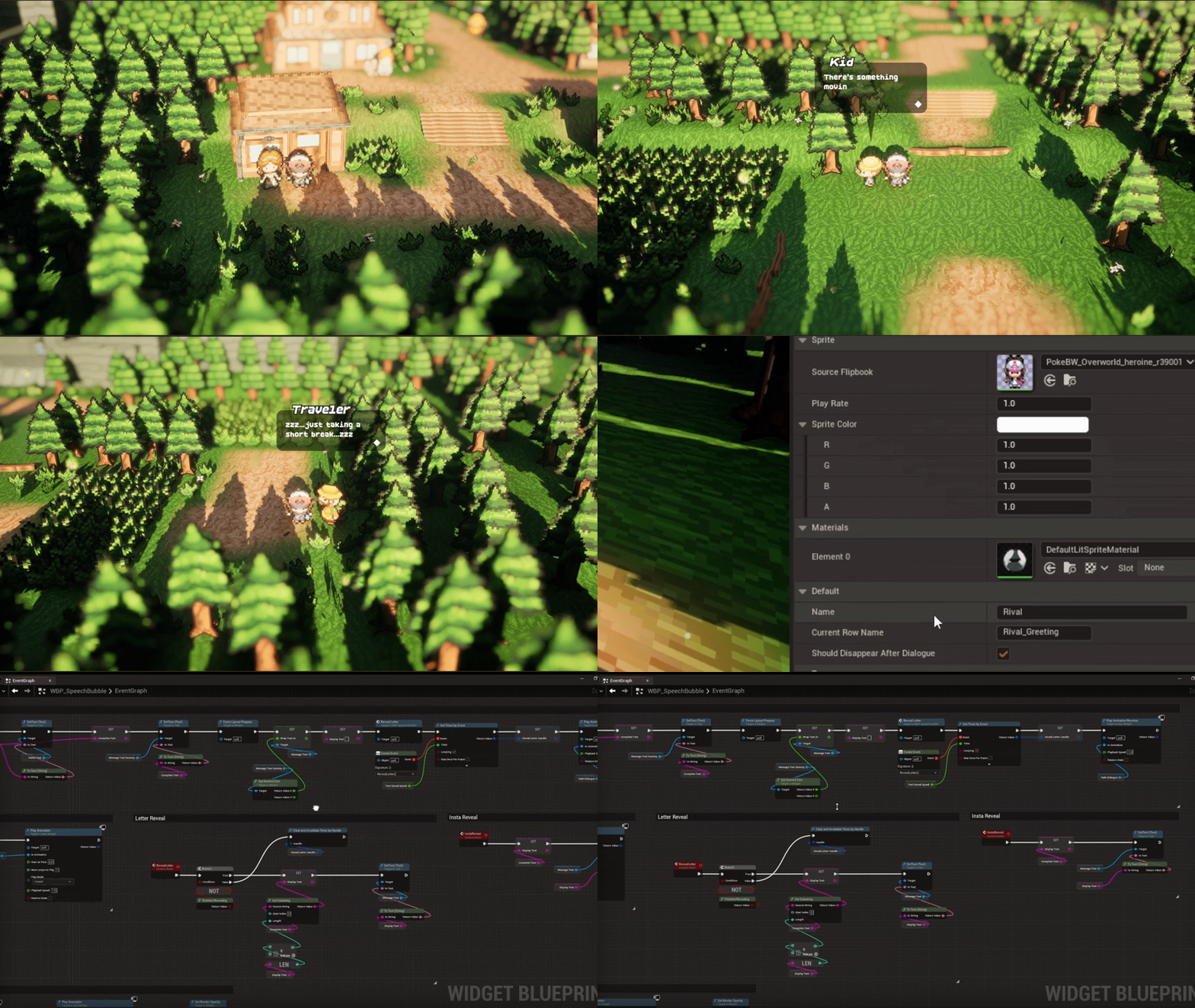
Speech bubbles are used to add immersion to the conversations, with the added flair of revealing each letter in a typewriter style.
The widget utilizes information found in the dialogue data table and the respective NPC. The player can also instantly reveal the entire dialogue if preferred.
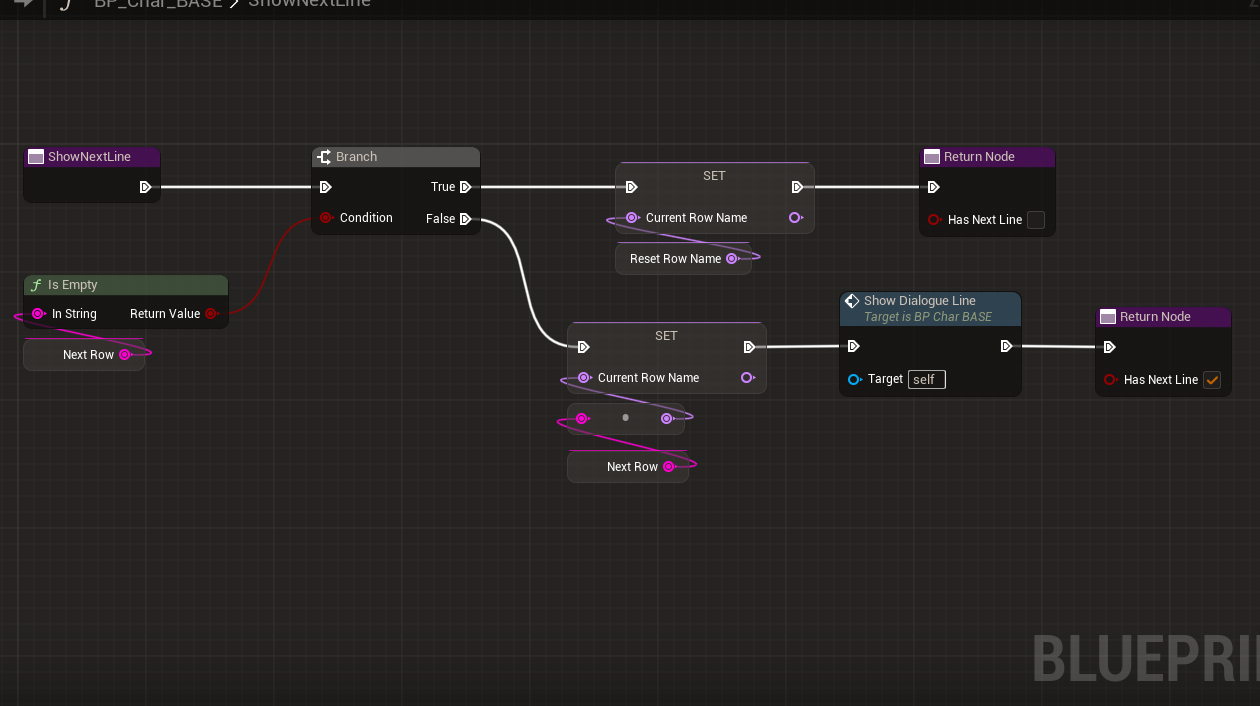
Multiple Dialogue Lines
The dialogue system checks whether the current dialogue line has a following line assigned to it within the data table and then sets that new line as the current one.
Closing Thoughts
This project has been the greatest learning experience throughout my entire education. Not only was I able to deepen my knowledge when it comes to creating advanced, scalable & modular systems, but I was also able to work closely with a theme I loved, which made me even more excited to work as hard as possible.
Creating advanced & technical systems is incredibly fun, and I could see myself optimising and organizing a project like this for months on end in order for it to become as user friendly & intuitive as possible.
Had I had more time I would’ve iterated further upon the enemy AI and given it revamped logic when it comes to decision making, not only having it rely on the health bars of each monster.
I’m incredibly proud of this project and will most likely remember it for as long as I live. It really goes to show that learning is more effective if you’re doing something you love. Thank you for reading!